Tailsy
Tailsy - AI Creative Studio
FeaturesExamplesFree ToolsAI ToolsGuidesPricingAffiliates
Sign InGet Started

Voice studio

AI Voice Studio

Turn scripts into speech, manage voices, and create audio that can support video and content workflows.

Create voiceoverBrowse AI tools
Voice flow
1Write script
2Choose voice
3Generate audio
REC

Voice tools for creators

Voice Studio covers text-to-speech and voice workflows for creators who need narration, dialogue, explainer audio, or voice assets around a video.

  • Text-to-speech
  • Voiceover generation
  • Saved voice workflows
  • Useful for video and social content

Product interface preview
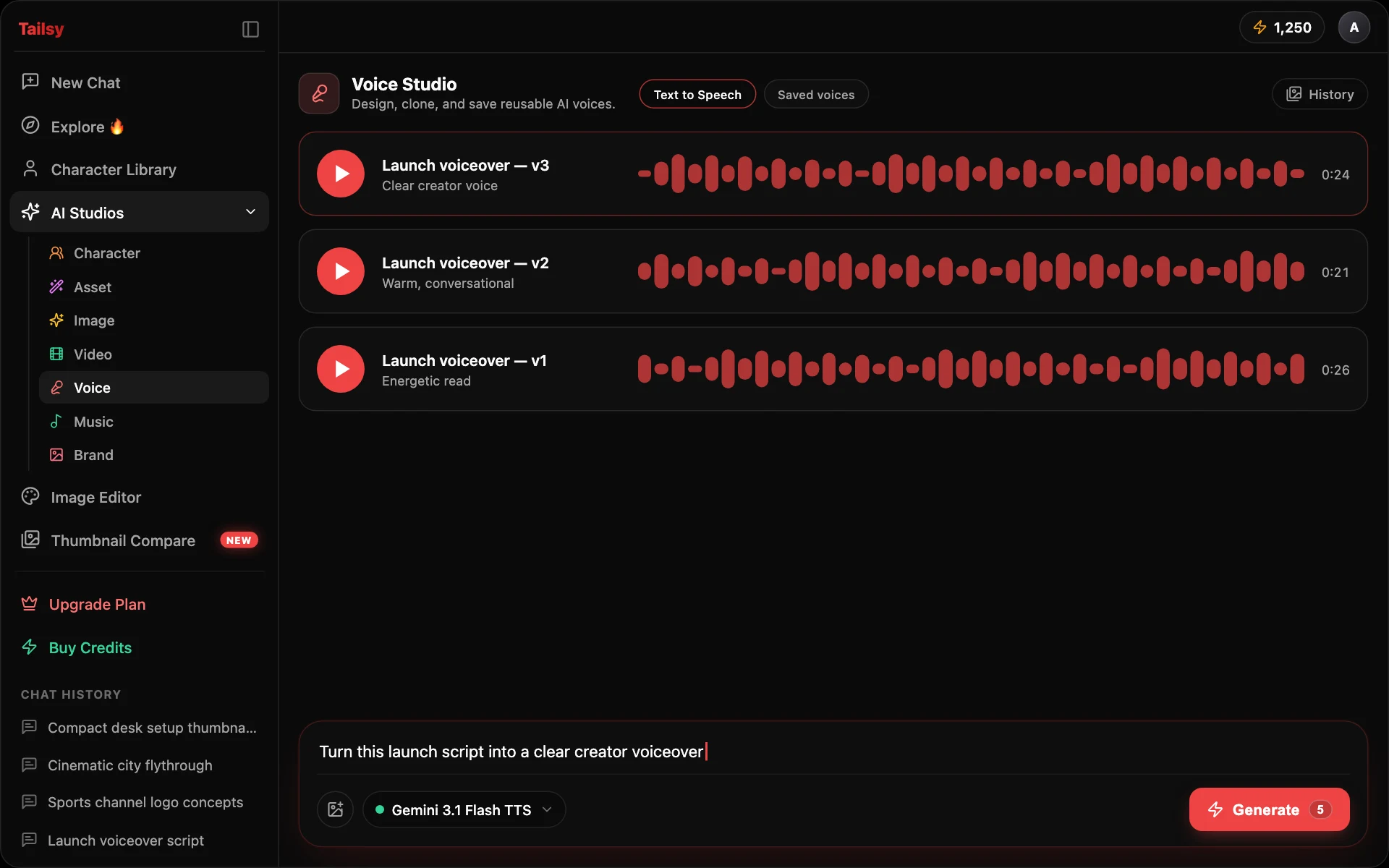
Clean demo mockup of the Tailsy AI Voice Studio interface

Supported workflows and model families

Tailsy keeps model selection inside the studio workflow, so creators can choose the right mode without rebuilding the page around a single provider.

  • Gemini 3.1 Flash TTS
  • MiniMax Speech 2.8 HD and Turbo
  • Kling Voice workflows
  • Saved voice and voiceover workflows

Frequently asked questions

Can Tailsy create voiceovers?

Yes. Voice Studio includes text-to-speech and voice workflow tools.

Is Voice Studio connected to Video Studio?

They are separate workspaces, but voice output can support video workflows like narration and lipsync.

Related

AI ToolsFree YouTube Thumbnail ToolsYouTube Thumbnail GuidesAI Video StudioAI Music GeneratorAI Thumbnail Generator
Tailsy

Create stunning, AI-powered YouTube thumbnails that drive clicks and grow your channel. Join thousands of creators using Tailsy to boost their content performance.

Product

FeaturesExamplesAI toolsFree toolsThumbnail guidesAI thumbnail generatorThumbnail previewerThumbnail size guidePricing

Support

Contact Us
© 2026 Tailsy. All rights reserved.
Terms of ServicePrivacy Policy